 Folio Launcher
Your Android, with an iPhone's Home Screen
A clean, iPhone-style Home Screen for Android, with the jailbreak tweaks I always wanted, and none of the lockdown.
✓ Free and open source✓ No ads or analytics✓ No account✓ 5.1 MB, Android 12+
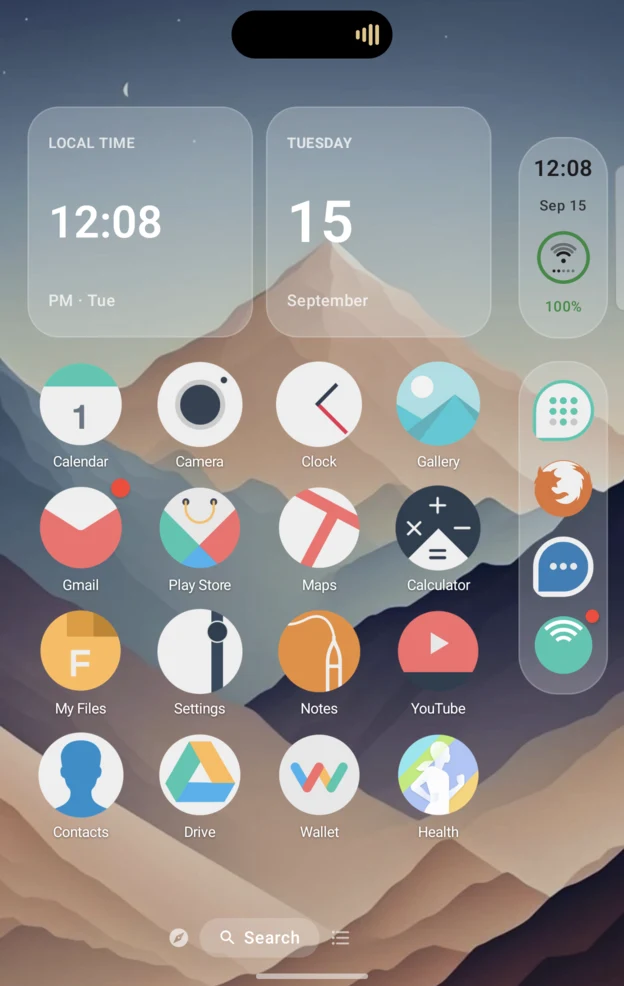
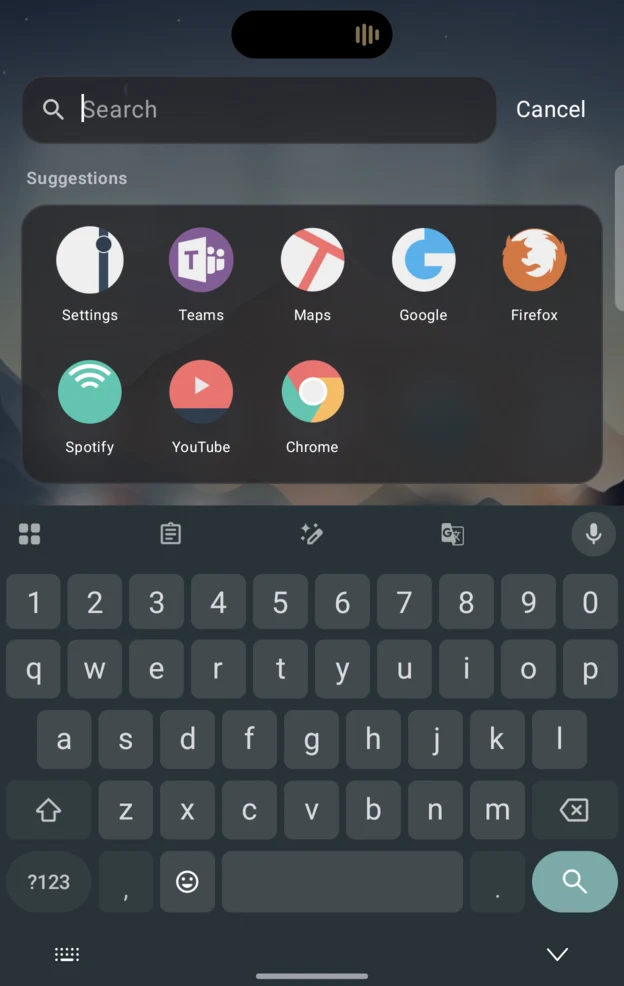
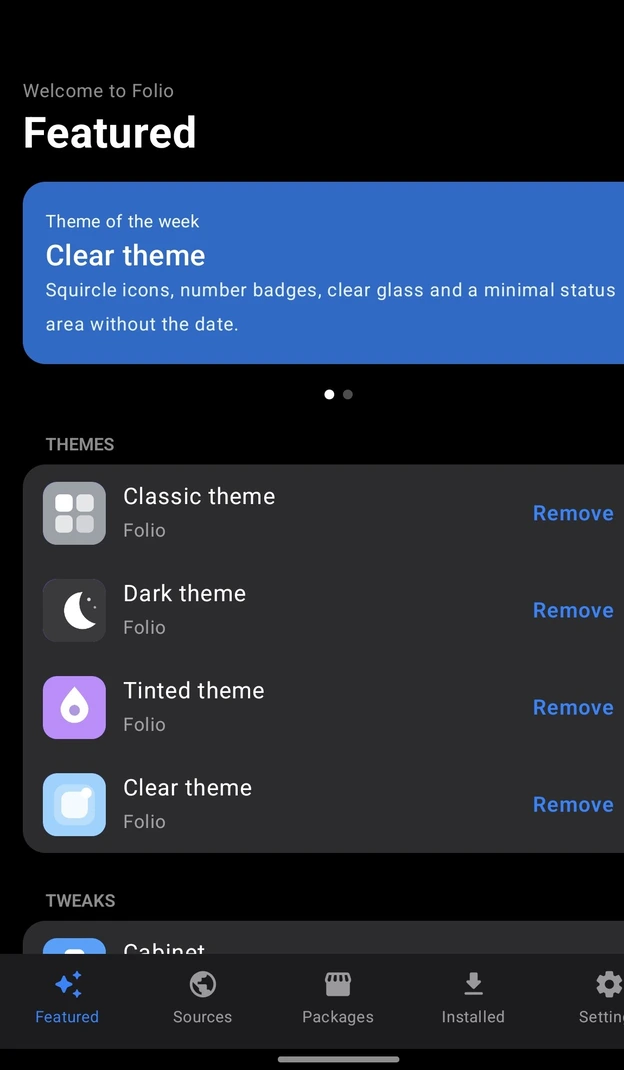
Built for a phone that folds
Folio lays out by how much room there is, not by what device it is. Open the Fold and you get two Home pages side by side. Portrait unfolded gets one centred page with a dock bar. The cover in landscape gets two columns.
- Half folded, sheets, menus and Home rows move off the crease
- Each screen keeps its own layout instead of mirroring
- Bigger screens draw bigger, like iPad, not a stretched phone
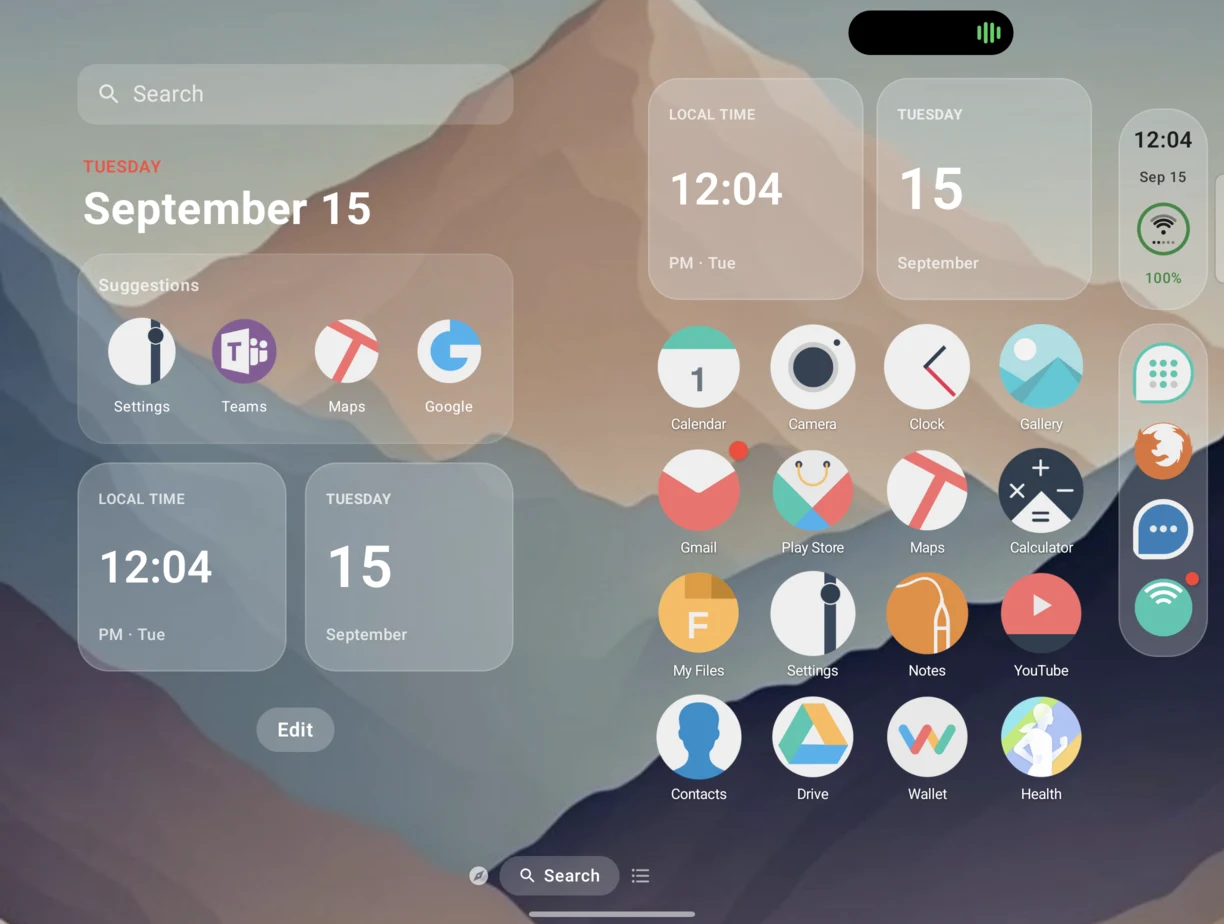
The iOS parts, done properly
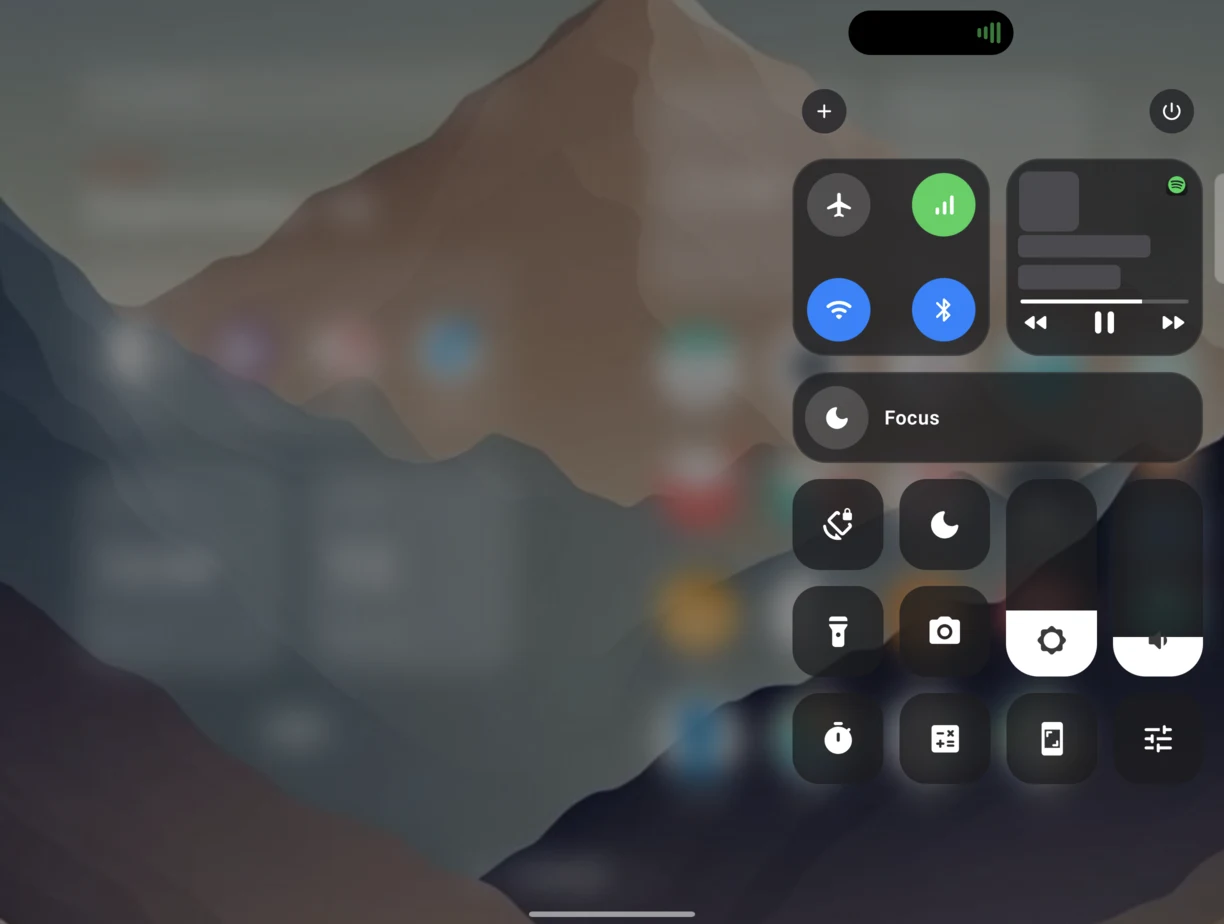
Side Bar and status bar, a Dynamic Island that wraps the camera, Notification Center, Control Center, Spotlight, Today View and Smart Stacks. Jiggle mode, folders, Icon Stacks and App Library search.
- The Dynamic Island is part of Home, not an accessibility hack
- Focus modes with schedules and their own Home pages
- Settings built like iOS, down to the sheets and alerts
Tweaks you choose, not a bundle
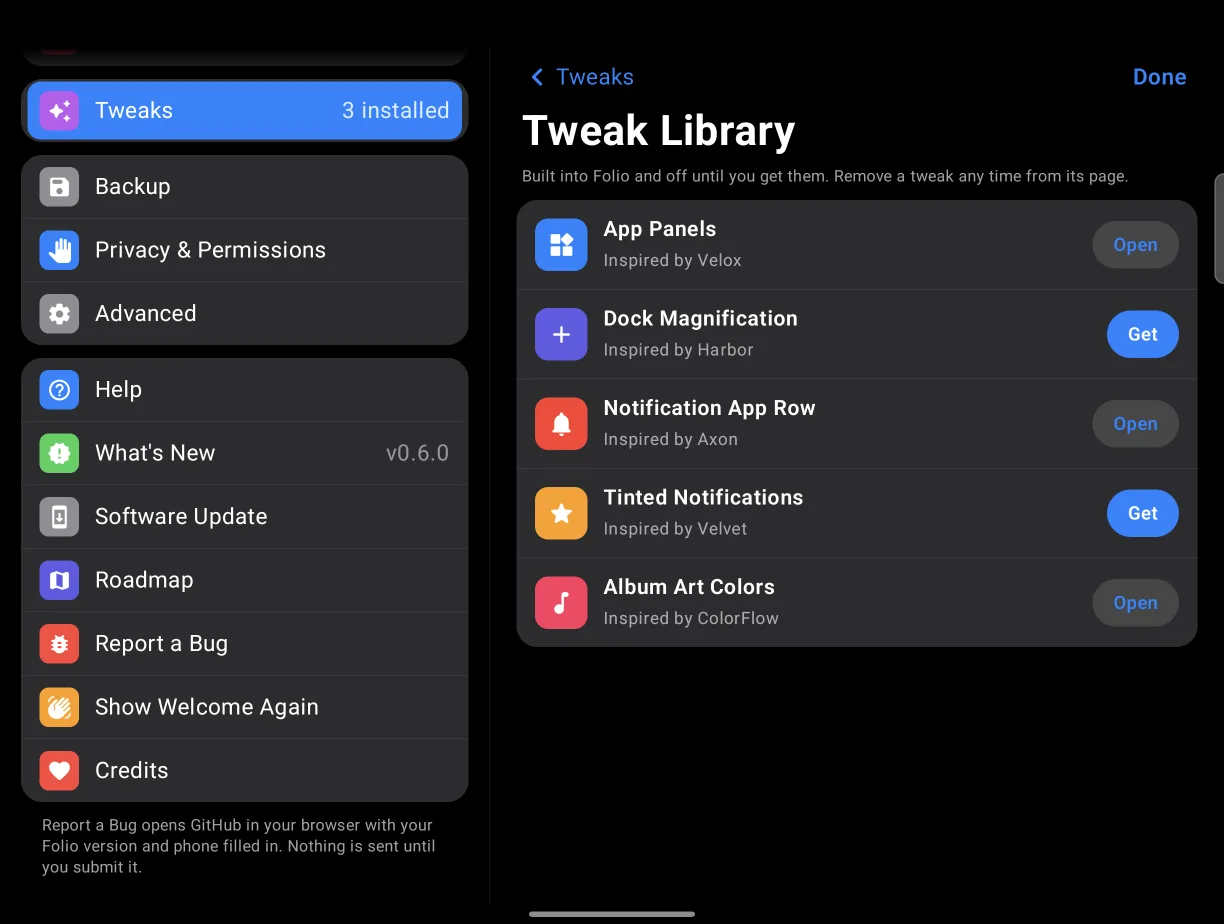
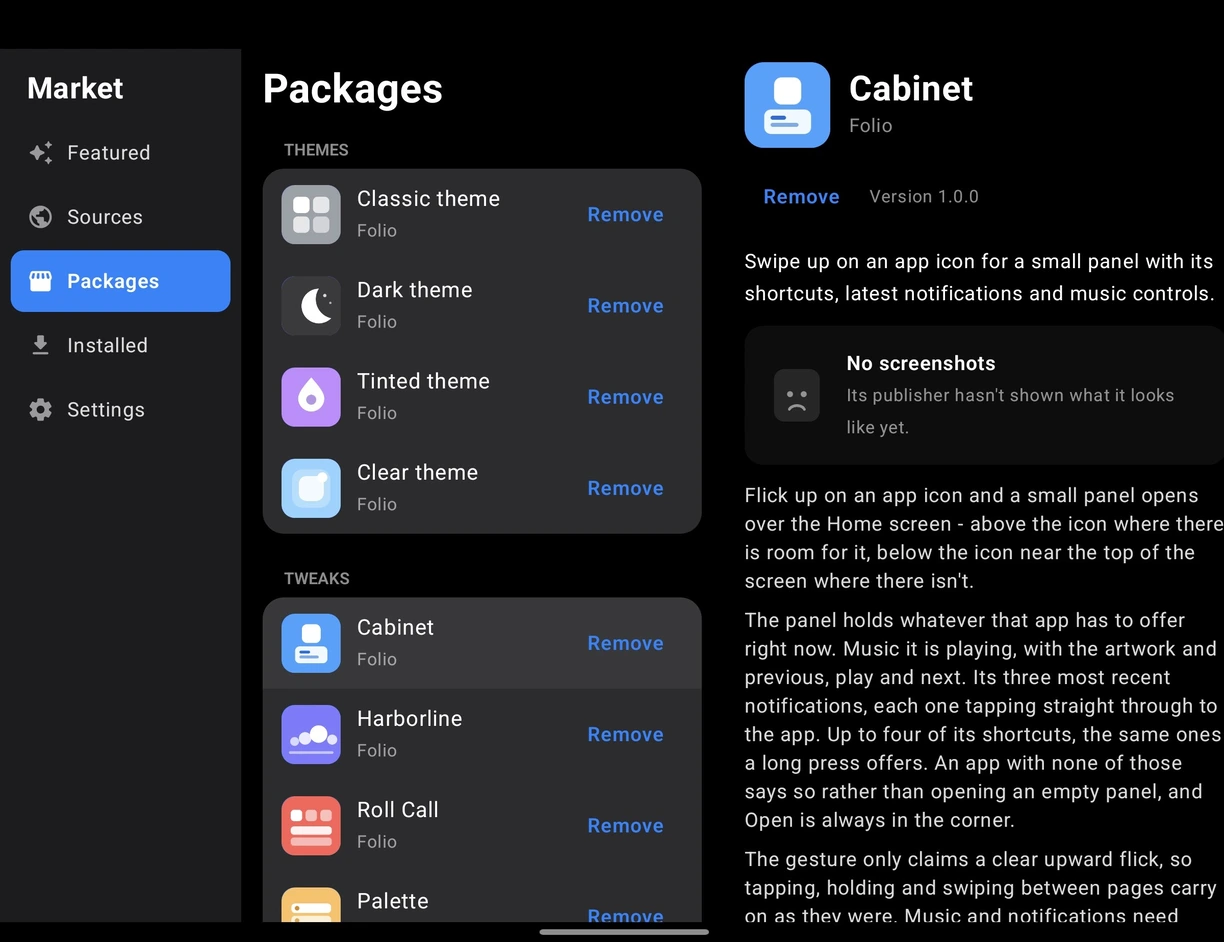
Ideas from the jailbreak tweaks I liked, rebuilt from scratch for Android: Cabinet after Velox, Harborline after Harbor, Roll Call after Axon, Palette after Velvet, Colored Albums after ColorFlow. None of their code is in here, and everyone is credited in the app.
- Take only the ones you want, and remove them any time
- Turn a tweak on for just the cover or just the inner screen
- Safe Mode, for when something misbehaves
Nothing about you leaves the phone
No accounts, no analytics
Folio reaches the network for two things: checking GitHub for an update, and sending a crash report if you choose to. That is the whole list.
Every permission explained
All of them are optional, each is explained where it is used, and what happens if you say no is written down.
Read PERMISSIONS.mdDownloads you can check
Every release publishes its SHA-256 and its signing certificate, so you can prove what you installed came from the same key as every release before it.
How to check itWhy it exists
It started because I wanted something that didn't exist. I was sick of other launchers not having what I wanted, so I made Folio. Now I am adding what I like, and what other people ask for, for the sake of it.
I have been in the iOS jailbreak world since iOS 7 or 8. Then I got a Galaxy Z Fold8, found out how much Android lets you change, and felt a little homesick for the tweaks I loved. Folio is me getting back into it, on a phone that folds.
Folio is early. It is a bit rusty in places, and it settles down as more people use it.The source is on GitHub, and so is every release.
Questions people ask
Is it really free?
Yes, and it stays free. No ads, no analytics, no account, and nothing that has already shipped ever moves behind a payment. Supporters get new things early, not the things you already have.
Will it work on my phone?
Android 12 and up. Folio lays out by how much room a screen has, so it works on ordinary phones, flips, foldables, tablets and in split screen. It is developed and tested on a Galaxy Z Fold8.
Is sideloading it safe?
Every release is signed with the same key, and both the file checksum and the signing certificate are published so you can check them before installing. The download page shows the two commands.
Can I go back to my old launcher?
Press Home and pick it again. Folio changes nothing else on your phone, and your layout is still there if you come back.
What happens to the taskbar on my Fold?
Android turns off One UI’s taskbar for every third-party launcher, Folio included. Folio’s own dock takes its place, and there is a help page explaining it.
Try it on your phone
5.1 MB, Android 12 and up, straight from GitHub. Set it as your home app, and press Home to go back to your old one whenever you like.